
Upload the trip's documents. Press one button. Customs done.
Every trip across the Channel needs three declarations
Since Brexit, every trip between the EU and the UK needs three border declarations on top of its customs declarations. ENSconnect does exactly these three, and nothing else.

Safety and security declaration
Into the UK it goes to HMRC, into the EU it goes to ICS2. One per consignment.
Goods Movement Reference
For the UK border. One per trip, bundling all its declarations.
The French border envelope
The barcode the driver shows at the port. One per trip.
Today an operator reads the loading order, the customs declarations and the CMR, then types the same data into two or three portals. The more goods lines a truck carries, the longer it takes. A typo means a truck stopped at the border.
The Brexit border declarations: ENS, GMR and ELO
The safety and security declaration, the Goods Movement Reference and the French border envelope, built from your documents and filed directly with HMRC, ICS2 and French customs.
Import and export declarations
CDS, ABD, DAU, EAD and the other customs declarations stay with your customs broker, as today. ENSconnect reads them and builds the border declarations from them. It replaces the retyping, not your broker.
Three steps, one screen per trip
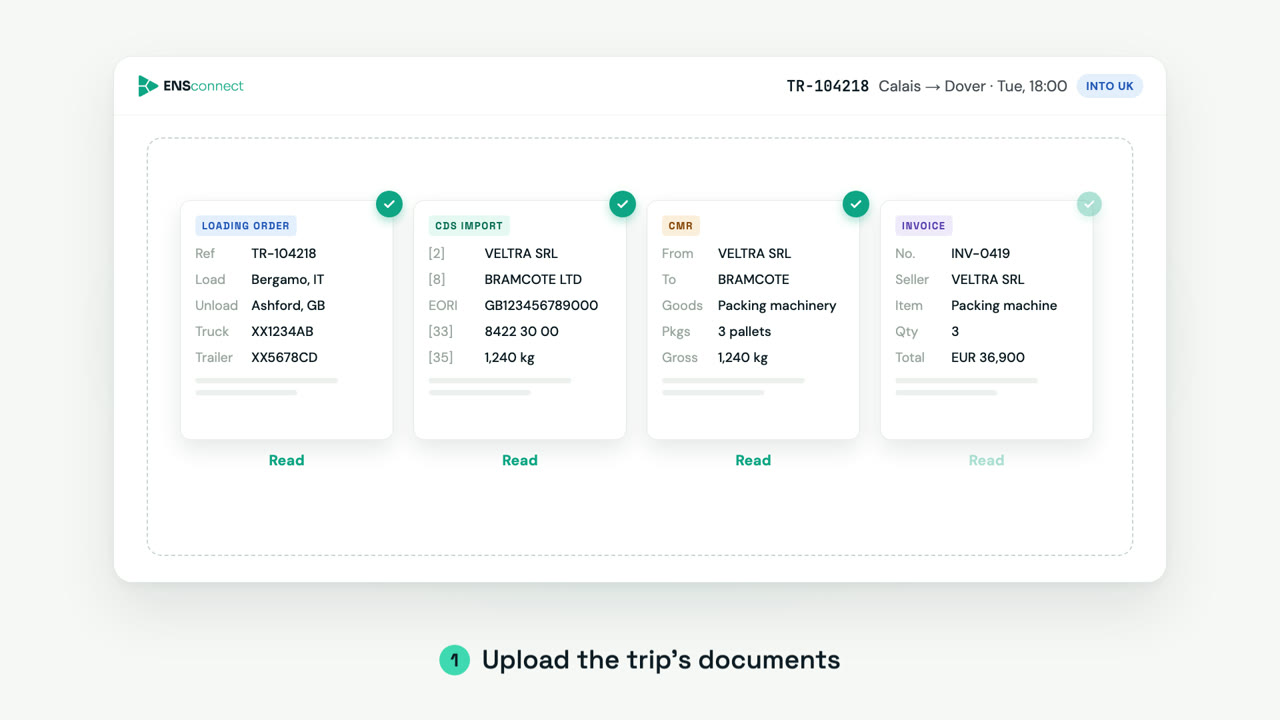
Upload
Drop everything you have for the trip: loading order, customs declarations, CMR, invoices, even phone photos. ENSconnect reads each document. Nothing to type.
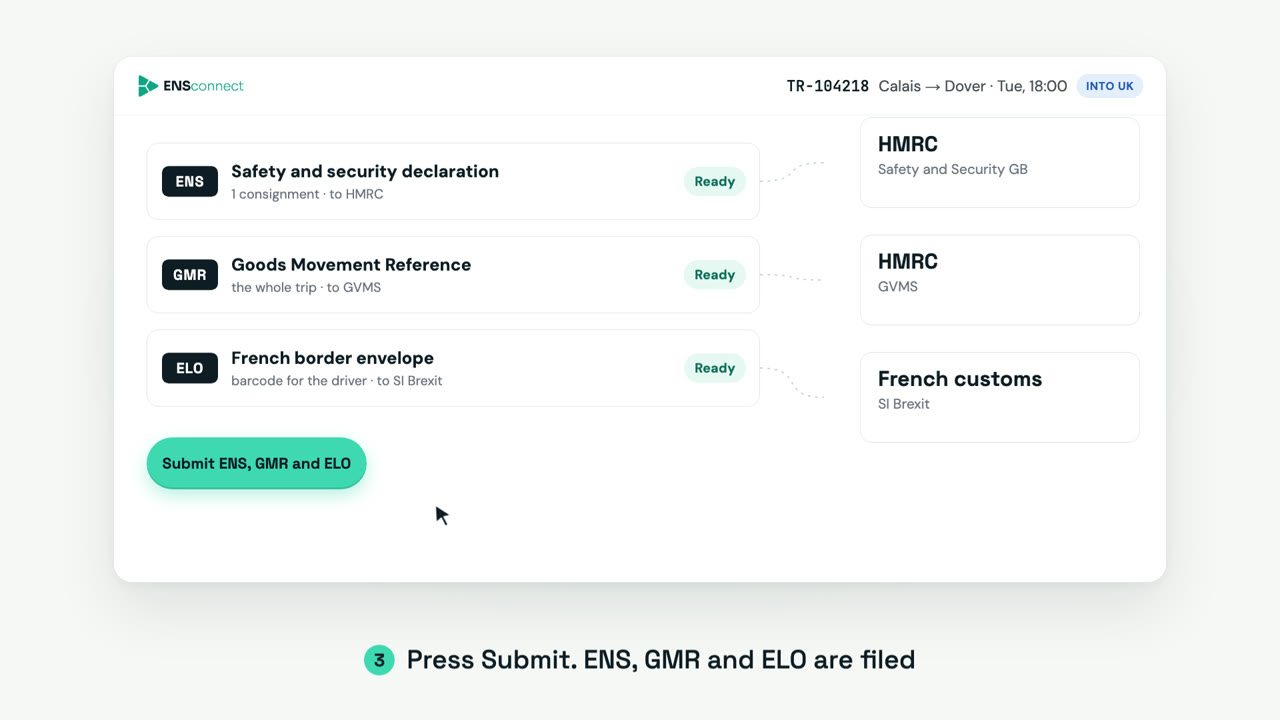
Review and press Submit
The trip is built for you: parties, goods, truck and route, turned into the declarations the trip needs. One ENS per customs declaration, one GMR and one ELO per trip; groupage splits itself, one declaration per exporter and importer pair. Green is confirmed by the documents, amber needs a glance. Mistakes are caught before customs sees them.
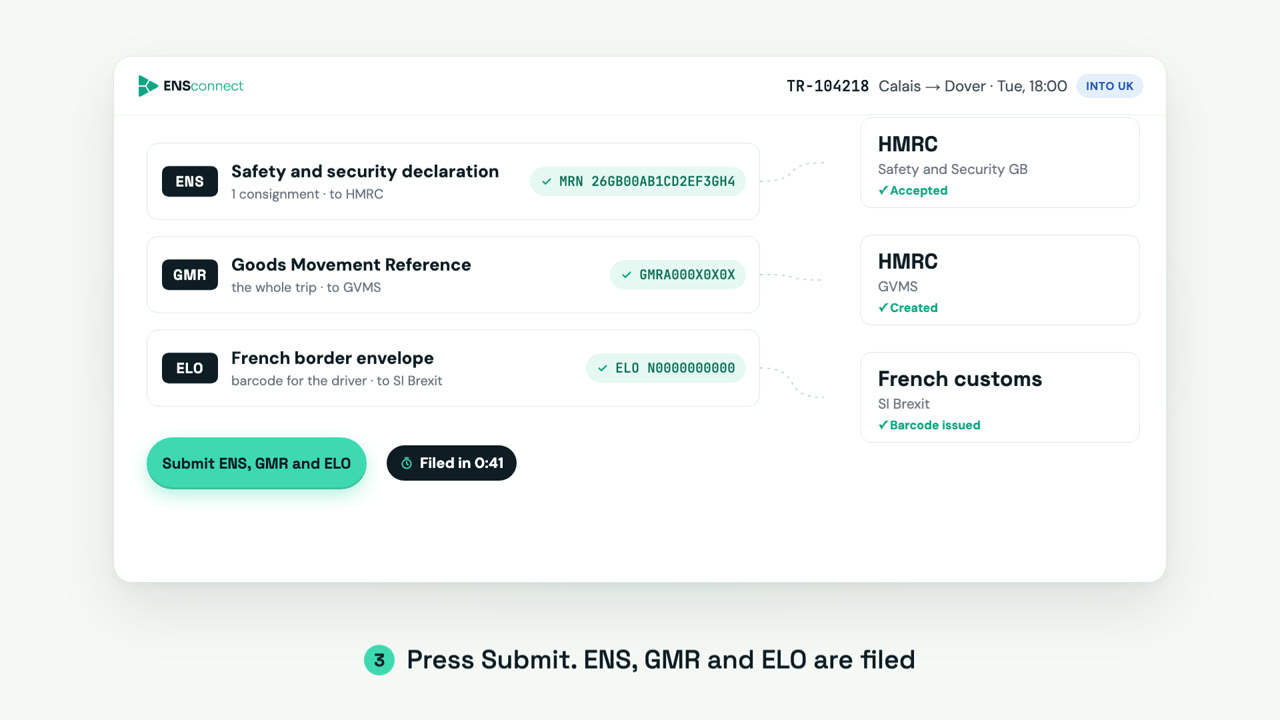
Filed with customs
ENS and GMR go to HMRC, ENS into the EU goes to ICS2, the ELO goes to French customs. The MRN, the GMR reference and the driver's barcode come back on the same screen.
An AI pipeline that reads, maps, builds and checks
Every trip goes through the same four stages. Nothing is retyped from the documents, and nothing leaves with a known error.
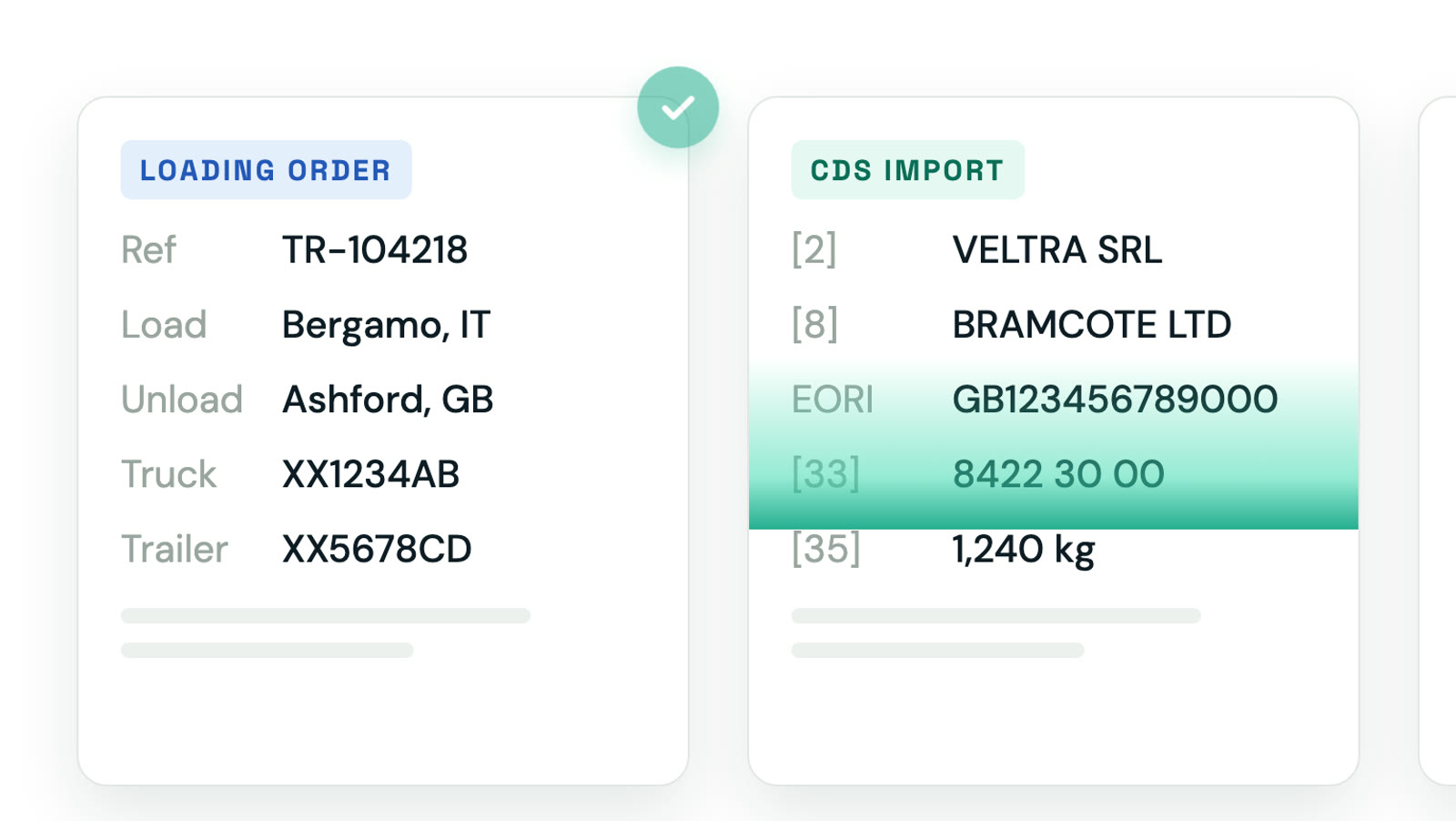
Every document, any format
Loading order, customs declarations, CMR, invoices, scans and phone photos. Each document type has its own reader, so a new broker layout never breaks the others.
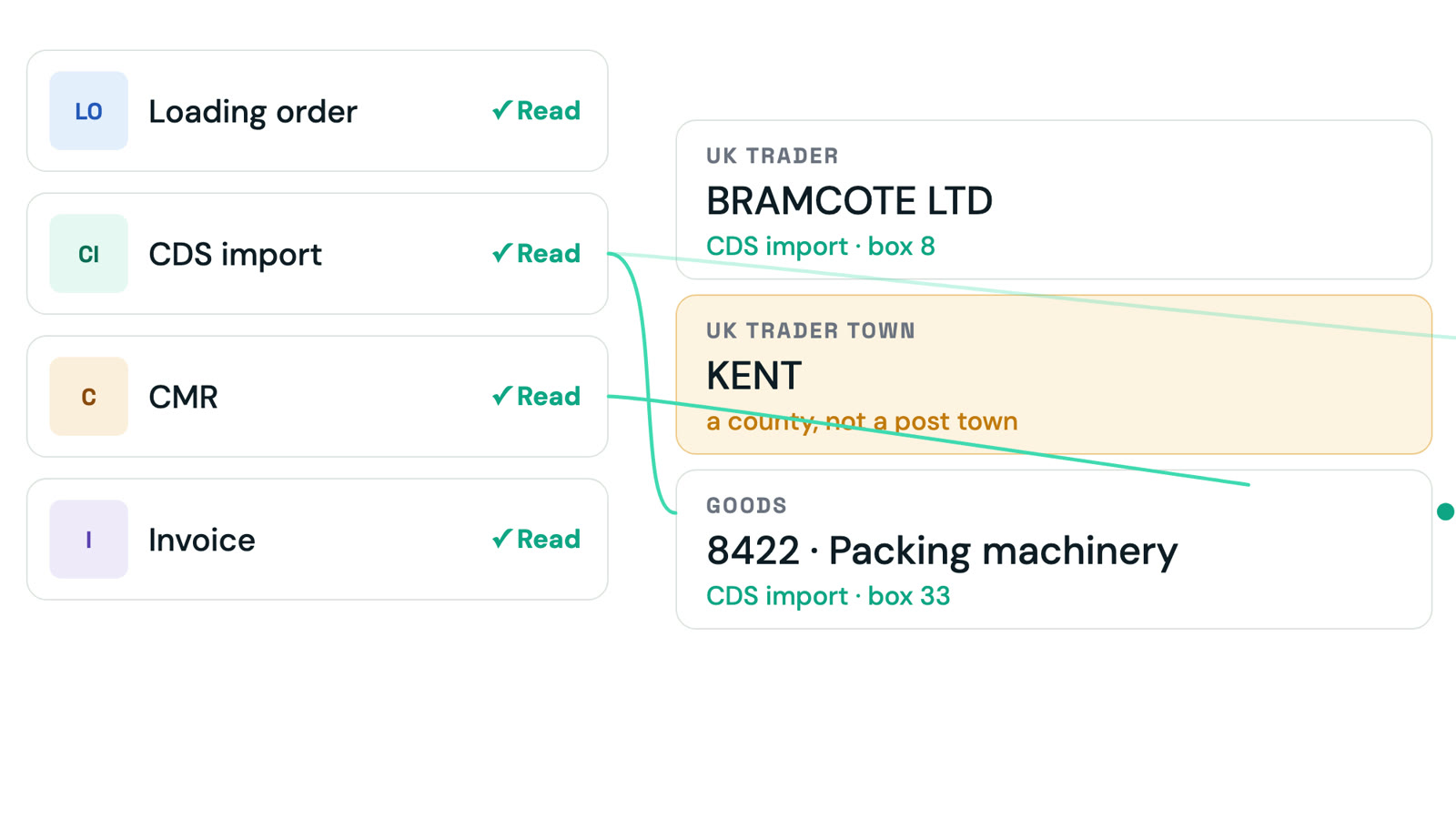
Fields to the customs data model
Parties, EORIs, goods lines, weights, plates and route are matched across documents, deduplicated and mapped to the fields HMRC, ICS2 and SI Brexit expect.
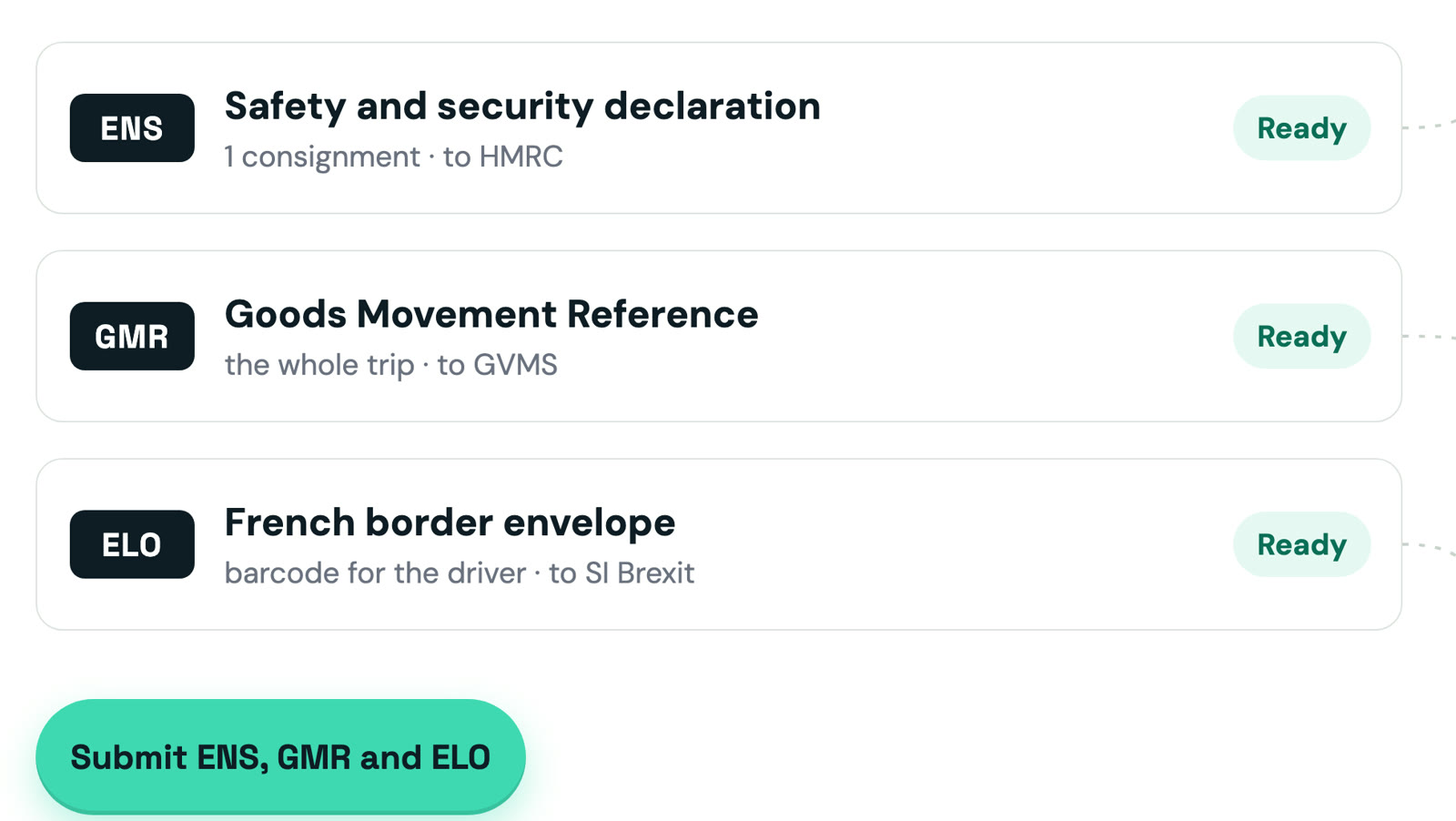
Declarations by the book
One ENS per customs declaration, one GMR and one ELO per trip, built to the HMRC Safety and Security guide, the ICS2 specification and the SI Brexit ELO rules.
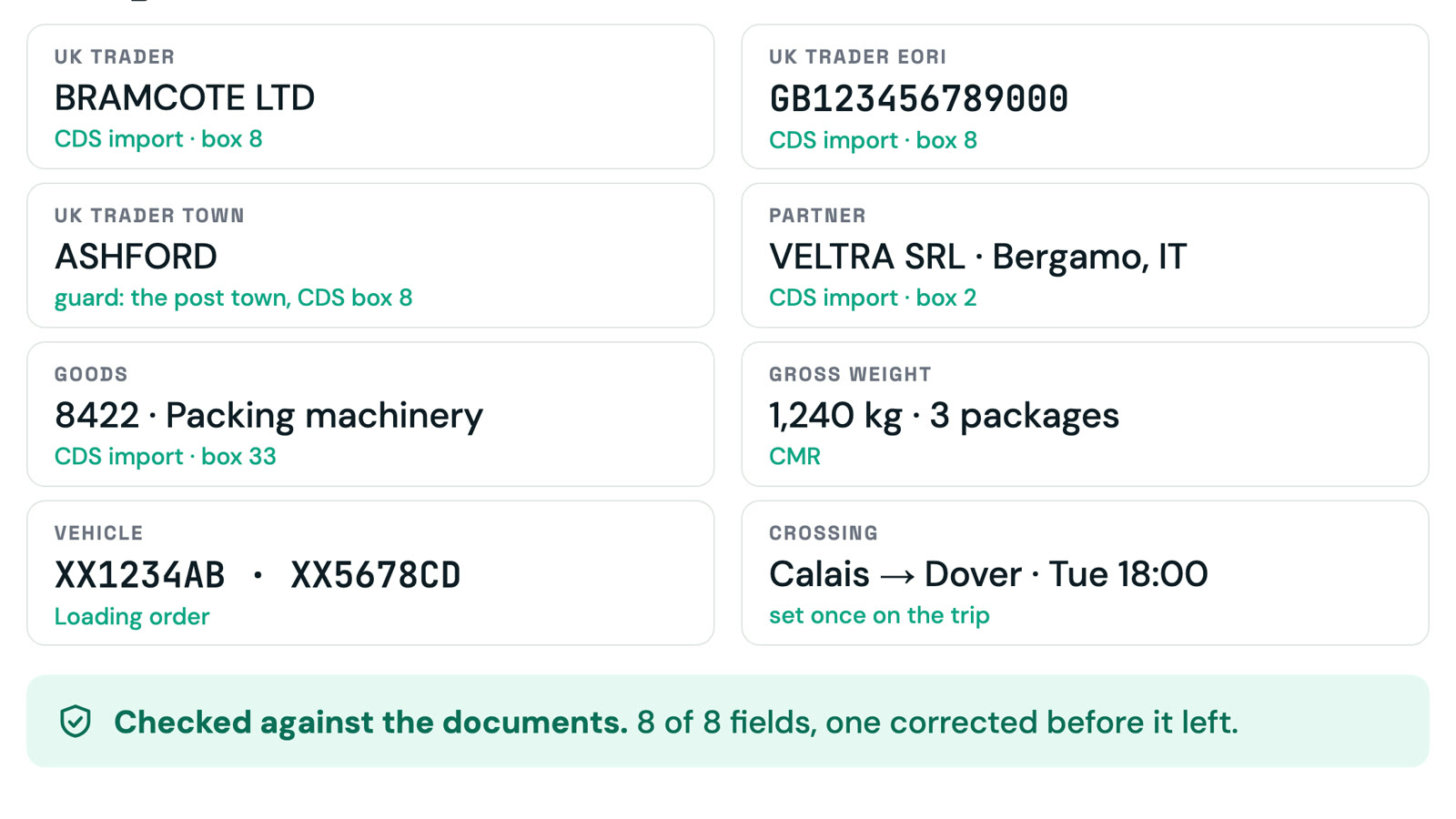
Checked before it leaves
Every declaration is verified against your own documents and the customs rules. Missing EORIs, wrong countries, inconsistent weights and references are caught and corrected before anything is sent.
It fills the form. Your operator still signs it.
The platform will not guess. Anything it could not read with confidence is flagged amber against the source document, in plain words. A missing ferry crossing or a carrier EORI that is in nobody's paperwork is asked for, never invented.
The guard is the difference between a truck that crosses and a truck that waits. Checks run before anything is sent: MRN check digits, EORI format and registry name, weights against the declared totals, commodity codes against the goods described. When the border still says no, the rejection comes back as a sentence attached to the field that caused it, with the fix offered where it is already known, as with a misread character in an MRN off a phone photo.
What it reads, what it files
What it reads today
What it files, and where
Direct to customs, no portal in between
ENSconnect talks to the customs systems themselves. The references come back the moment customs answers.
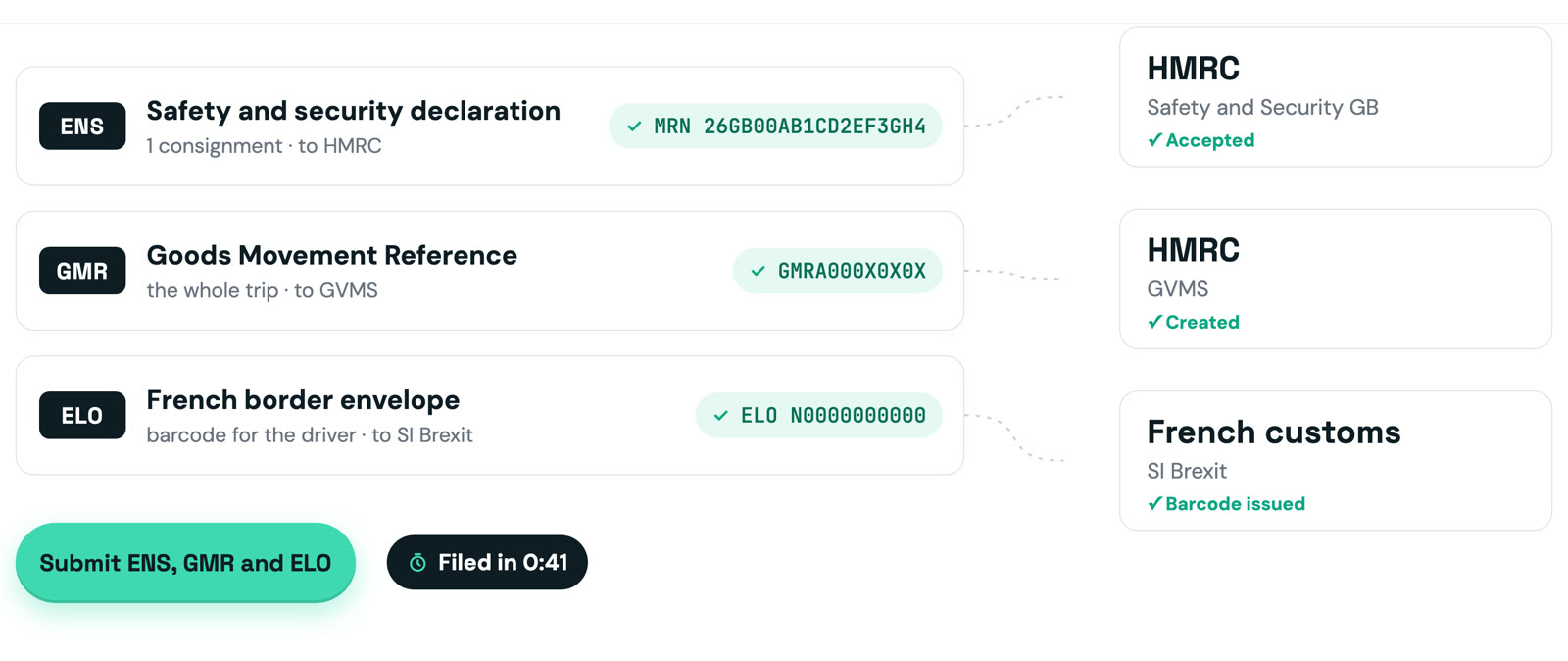
Safety and Security GB for ENS into the UK, GVMS for the GMR in both directions.
Import Control System 2 for ENS into the EU, through a certified access point.
SI Brexit: the envelope that pairs the vehicle with its declarations at the French ports.
Under a minute to issue the three declarations
One button. The MRN, the GMR reference and the ELO barcode come back on the same screen.
Drags the trip's PDFs onto the page
Reads the declarations the platform built, beside the documents they came from
One click. ENS and ELO go to customs
The GMR follows by itself the moment the MRN lands, bundling every declaration on the trip
26GB00AB1CD2EF3GH4GMRA000X0X0XN0000000000What lands on the trip (example values). Every value on the screen carries its source: the document and the page it was read from.
Built for the people who move the trucks
Whoever is responsible for the border declarations of a trip, ENSconnect takes the retyping off their desk.

Freight forwarders
Your dispatchers file from the loading order they already have. No customs software to learn.
Hauliers
GMR and ELO for every trip, with the driver's barcode ready before departure.
Customs brokers
Groupage trips with dozens of declarations composed automatically, one ENS per declaration.
A live demo, on your own documents
Send us the documents of a trip you handled last week. We upload them in front of you and file the declarations to the customs test systems, live, in under ten minutes.